
Using wedge and corner mounts can considerably improve motion capture for your security cameras. These mounts adjust angles effectively, with wedge mounts offering up to 15 degrees of vertical tilt and corner mounts providing 45 degrees of horizontal tilt. This guarantees peak viewing around obstacles and enhances detection coverage. It’s vital to install these mounts at a height of 46-48 inches and avoid obstructions during setup. By following these steps, you can enhance your home’s security system, and there’s more helpful information ahead.
Key Takeaways
- A Wedge Mount provides up to 15 degrees of vertical adjustment to enhance camera angle for capturing more motion events.
- The Corner Mount allows for 45 degrees of horizontal adjustment, improving visibility around obstacles and hard-to-reach areas.
- Combining Wedge and Corner Mounts addresses narrow entrances, reducing blind spots and enhancing overall surveillance effectiveness.
- Position mounts at a height of 46-48 inches for optimal motion detection and ensure they are free from obstructions.
- Regularly check stability and alignment of mounts post-installation to maintain effective motion capture capabilities.
Understanding the Importance of Motion Capture for Home Security

When we think about home security, effective motion detection is at the forefront of our concerns. It plays an essential role in alerting us to potential intruders, thereby enhancing our safety. Optimizing the field of view with our motion detection systems can lead to increased effectiveness. For instance, studies show that video doorbells installed at ideal angles can capture up to 30% more motion events. This is significant, especially since around 50% of home burglaries happen through unlatched doors. By ensuring our motion detection systems have a proper vantage point, we can greatly reduce blind spots. When we set up these systems thoughtfully, we strengthen our home security, ensuring we’re well-equipped to respond to any motion detected. Using mounts with adjustable designs allows for customizable camera angles that maximize this motion capture capability.
How Wedge and Corner Mounts Enhance Camera Coverage

Three critical elements in optimizing camera coverage for motion detection are the Wedge Mount, Corner Mount, and their strategic combination. The Wedge Mount allows for vertical adjustments of up to 15 degrees, enhancing the range for video doorbells mounted high on walls. This positioning minimizes blind spots when installed at the recommended height of 46-48 inches. On the other hand, the Corner Mount offers horizontal tilting of up to 45 degrees, allowing improved visibility at angles. Together, these mounts enable us to address hard-to-reach areas or narrow entrances effectively. Moreover, enhanced coverage from the Corner Mount helps to mitigate infrared light exposure, ensuring our video doorbells provide accurate night vision functionality for better security in low-light conditions. Many mounts also feature weather resistance, which ensures long-lasting performance regardless of outdoor elements.
Top Benefits of Using Wedge and Corner Mount Kits

The combined use of Wedge and Corner Mount Kits offers several advantages for optimizing your motion detection system. By using the Wedge mount, we can achieve a vertical adjustment of up to 15 degrees. This enhancement improves how our doorbell camera captures movement. The Corner Kit complements this with a horizontal tilt of 45 degrees, which helps us see around obstacles effectively. Together, they maximize coverage, allowing for extensive surveillance in diverse environments. Additionally, these kits reduce infrared light exposure during low-light conditions, improving night vision capabilities greatly. Ultimately, utilizing both kits guarantees we have a robust security solution, enhancing overall performance and making certain we don’t miss any vital motion detection. Their weatherproof design also ensures reliable operation in various outdoor conditions.
Step-by-Step Guide to Choosing and Installing the Right Doorbell Kit
Choosing and installing the right doorbell kit can seem overwhelming at first, especially with the variety of options available today. We should start by determining our desired camera angle. The Wedge Kit allows for up to 15 degrees of vertical adjustment, while the Corner Kit enables up to 45 degrees of horizontal adjustment. After selecting the appropriate kit, we’ll remove our existing doorbell and secure the kit to the mounting surface. Using the Live View feature in the doorbell app helps to guarantee proper alignment. Finally, we can secure the doorbell to the mount and test its functionality. If needed, we can adjust the Activity Zone or Privacy Zone settings to enhance coverage and security. Additionally, choosing a mount with anti-theft protection can provide extra security against tampering or theft.
Wedge Mount Installation Guide
After selecting the right doorbell kit, we can turn our attention to the Wedge Mount installation. First, disconnect the power from the existing doorbell and remove it along with any old brackets. Next, position the wedge mount according to the installation guide, optimizing it for your doorbell type. The wedge mount allows for a vertical tilt adjustment of up to 15 degrees using three 5-degree stackable mounts. Secure the Wedge Mount with the provided screws, ensuring they don’t exceed 1.25 inches (31 mm) in length. Once secured, reconnect the doorbell to the kit using short screws. Finally, verify that the live camera functions properly by testing the view through the associated app. This improves motion detection considerably, enhancing your security system. Selecting a bracket made from weather-resistant materials can significantly increase the longevity and performance of your installation.
Corner Mount Installation Guide
When we want to enhance our video doorbell’s coverage, installing a Corner Mount can be a great solution. This mount allows for a 25-degree horizontal tilt, which improves the camera’s field of view considerably. To install the mount, select a suitable spot on the corner where your doorbell will be positioned. Use the pre-drilled holes for easy installation, securing it in place with a drill and screws or anchors as needed. Remember, this mount is compatible with various doorbell models, allowing flexibility on uneven surfaces. Adjust the angle after installation to cover any blind spots effectively. By ensuring the camera monitors key areas, we’ll achieve optimal performance and better motion detection for our doorbell. Choosing a mount made from durable materials like ABS ensures longevity and weather resistance for outdoor use.
How to Place Your Doorbell Mounts for Optimal Performance
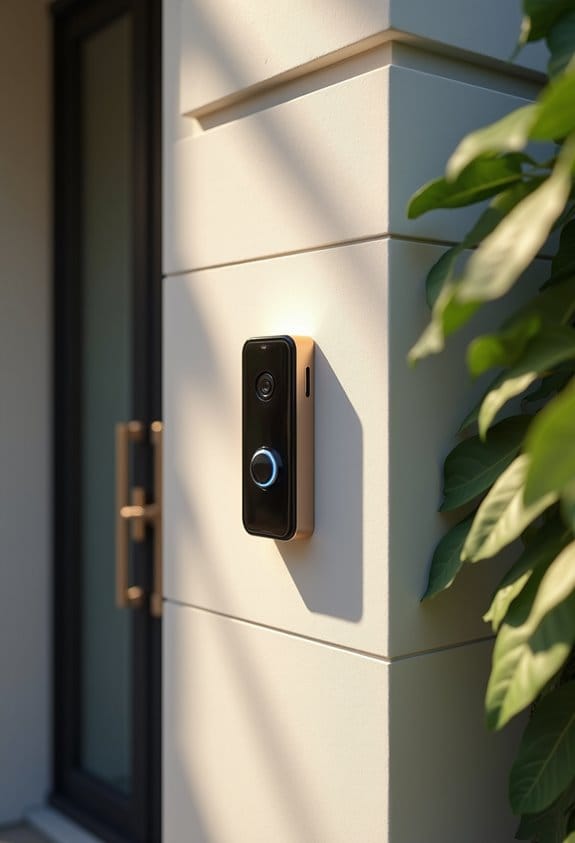
To guarantee your doorbell performs at its best, we must consider the height and angle at which we mount it. Ideally, the doorbell should be positioned 46-48 inches (102-122 cm) above the ground. This height guarantees peak performance in motion detection and field of view. For angle adjustments, using the Wedge Mount helps us tilt the doorbell by up to 15 degrees. If space is tight or angled, the Corner Mount allows for a horizontal adjustment of 45 degrees. For maximum flexibility, we can stack the Wedge Kit onto the Corner Kit. After installation, we should verify the angle and position using the Live View feature in the app to make certain it captures the desired area effectively. Additionally, ensuring that the doorbell is compatible with existing doorbell wiring optimizes installation and long-term performance.
Avoid These Common Mistakes When Installing Your Doorbell
Many homeowners encounter common pitfalls during the installation of their doorbell, which can lead to subpar performance. First, let’s make certain the mounting height is between 46-48 inches above the ground. This height maximizes the field of view and guarantees effective motion detection. It’s vital to choose a location without obstructions blocking the camera’s view. When using mounting screws, always select the correct ones included with the Wedge or Corner Kits to avoid damaging both the mount and doorbell. Before securing the mounts, we need to double-check their alignment; improper angles can create blind spots. Finally, follow the manufacturer’s guidelines to combine Wedge and Corner Kits effectively, guaranteeing ideal visual and motion capture angles. Additionally, using mounts made from weather-resistant materials ensures longer-lasting performance and protection against outdoor elements.
Troubleshooting Common Installation Issues
Installation issues can be frustrating, but several straightforward troubleshooting steps can help us resolve them efficiently. First, let’s make sure we’re securely attaching the wedge or corner mount using only the included screws; incorrect screws can lead to instability. We should confirm that the ideal mounting height is between 46 and 48 inches (102 – 122 cm), as this enhances motion detection. Utilizing the provided templates for drilling is essential to minimize alignment errors. Next, let’s double-check that our power source connections are secure; loose connections can disrupt functionality. If we notice subpar motion detection, adjusting the angle of the wedge or corner mount may help, along with testing the live feed to verify full coverage of our desired area. Additionally, customizing the motion detection sensitivity settings can optimize performance based on specific installation environments.
Best Places to Use Doorbell Mounts in Your Home
Where can we effectively use doorbell mounts in our homes to maximize security and coverage? For narrow front porches, a Corner Mount works best. It captures extensive views of our doorway without obstructing limited space. If we have side doors, we can utilize both Wedge and Corner Mounts to enhance visibility for diagonal entrances. For multi-unit corridors, a Corner Mount guarantees we monitor hallways discreetly while respecting neighboring privacy. If our views are obstructed by walls or plants, opting for a Wedge Mount can give us clearer sight lines. In compact spaces where standard mounts may not fit, we can leverage the adjustable features of Wedge and Corner Mounts, optimizing our existing doorbell’s functionality for better surveillance. Additionally, selecting mounts made of high-hardness stainless steel ensures durability and weather resistance in outdoor installations.
Frequently Asked Questions
Will an Angle Mount Help With Motion Detection?
Absolutely, angle adjustments can greatly enhance motion detection. By optimizing the camera’s positioning, we’ll experience significant improvements in detection enhancement and motion optimization, ensuring we capture every important movement in our viewing area.
Can an Angle Mount Improve Ring Doorbell’s View?
By utilizing angle mounts, we achieve improved visibility through precise camera positioning. Applying effective installation techniques allows us to tailor our Ring Doorbell setup, creating a seamless view that captures every motion at our entrance.
When to Use Ring Corner Mount?
We should use the Ring Corner Mount when ideal camera placement’s essential, especially in tight spaces. Considering mounting height and outdoor installation tips guarantees the best coverage and performance for security monitoring at our homes.
Why Is My Ring Camera Not Picking up All the Motion?
Our Ring camera’s not catching all the motion? Let’s tweak the motion sensitivity settings, consider some camera placement tips, and tackle any obstacle interference solutions together for better coverage—because every movement counts, right?