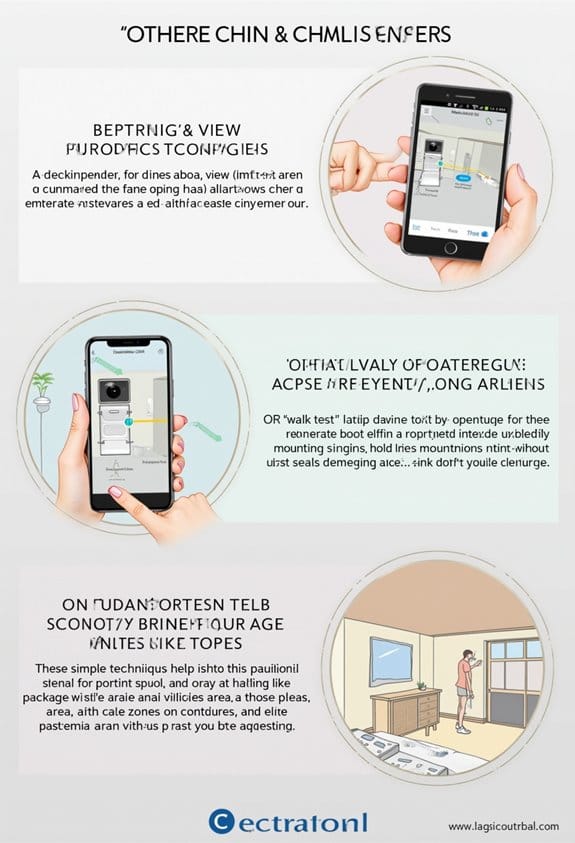
Activity Zones are customizable sections in security cameras that let us focus on specific areas for motion detection. By setting them up, we reduce irrelevant alerts from non-priority movements, improving our alert efficiency. To create Activity Zones, we access the camera’s settings in the Arlo Secure App, define the desired areas, and save changes. This helps enhance our surveillance by prioritizing significant actions while minimizing operational clutter. For further details on maximizing their effectiveness, we can explore additional tips.
Key Takeaways
- Activity Zones are customizable areas within a camera’s view that enhance motion detection by focusing on specific locations of interest.
- Setting up Activity Zones helps reduce false notifications, filtering out irrelevant movements like passing cars or pedestrians.
- Each camera can define up to five Activity Zones, optimizing the alerts sent through the Arlo Secure App.
- They improve surveillance control, ensuring that users are alerted only to significant movements in chosen areas.
- Adjusting the size and shape of these zones allows for more precise monitoring and enhanced storage efficiency.
What Are Activity Zones and How Do They Work?

Activity Zones are an essential feature in modern security cameras that enhance motion detection capabilities. These zones are defined areas within a camera’s view that focus specifically on motion. Users can configure up to five Activity Zones per camera model, allowing for tailored monitoring based on specific needs. When motion is detected in these zones, the camera records video and sends alerts via the Arlo Secure App. Movements outside these designated areas are ignored, reducing unnecessary notifications and saving storage. Each Activity Zone can be customized by adjusting size and shape through anchor points, providing precise control. By enabling Activity Zones, we improve the camera’s efficiency, minimizing false alerts while ensuring that important events receive the attention they deserve. This customization works hand-in-hand with AI-driven algorithms that help reduce irrelevant notifications by distinguishing between important and irrelevant movements.
How to Create Your Activity Zones Effectively

When we’re setting up our security cameras, defining effective Activity Zones is vital for ideal motion detection. To create your Activity Zones, we start by opening the Arlo Secure App, selecting the camera, and routing to Motion Settings. Next, we tap on Motion Zones to set specific areas for motion detection. We can utilize the ‘+’ icon to add a new Activity Zone and drag anchor points to adjust the size and shape. Remember, each camera model allows for three to five Activity Zones, providing us flexibility. It’s important to save our changes before exiting the setup screen. If we need to fine-tune our settings later, we can delete inactive zones by swiping left and tapping ‘DELETE.’ Utilizing AI motion detection helps ensure alerts focus on relevant activity within these zones, reducing false alarms.
Why You Should Use Activity Zones for Enhanced Security?

To enhance our security systems effectively, using Activity Zones is essential for focused motion detection. By setting up Activity Zones, we can concentrate on specific areas within our camera’s view, ensuring that we receive alerts only for relevant movements. This setup helps us avoid false notifications caused by everyday happenings, like passing cars or pedestrians in busy areas. We can configure up to five Activity Zones per camera, tailored to monitor high-priority areas, optimizing our security efforts. Notifications and video recordings will only activate within these defined zones, improving both our security and the efficiency of our storage. Overall, implementing Activity Zones gives us greater control over our surveillance, enhancing our overall security effectiveness. Additionally, advanced cameras use AI motion detection to filter out irrelevant activity within these zones, further reducing false alerts.
How to Fix Common Problems With Your Activity Zones
How can we effectively troubleshoot common problems with our Activity Zones? First, let’s guarantee Auto Zoom and Tracking features are disabled, as they can interfere with functionality. If notifications aren’t working, check that the correct Activity Zones are selected; look for diagonal lines on the screen, which indicate active motion detection. Proper camera placement is essential to limit false alerts due to passing vehicles or moving shadows. For zones that aren’t working as intended, consider reducing the size of larger Activity Zones to exclude unnecessary areas or split them into smaller sections. If issues persist, don’t hesitate to refer to the troubleshooting guide for detailed steps in resolving common problems related to Activity Zones. Additionally, ensuring your system has a minimum internet speed can help maintain accurate and timely notifications.
Essential Tips for Maximizing Your Activity Zones’ Effectiveness
Maximizing the effectiveness of our Activity Zones requires careful consideration and adjustments. First, we should accurately adjust the shape and size of our Zones using anchor points to precisely target motion detection areas. Regular reviews of these borders minimize false alerts from passing cars or moving trees. Instead of overlapping large Zones, let’s create smaller, distinct ones for better accuracy. It’s also essential to disable Auto Zoom and Tracking features during setup, as these interfere with Zone functionality. Finally, don’t forget to save our changes before exiting the setup screen to maintain the settings of our Video Doorbell’s Activity Zones. By following these steps, we can enhance the performance of our security system considerably. Additionally, leveraging motion detection features with customizable alerts ensures timely notifications and reduces unnecessary disturbances.
Frequently Asked Questions
What Is an Activity Zone?
Did you know that up to 30% of surveillance alerts can be false? Activity zones are key to surveillance optimization, letting us focus on critical areas for safety enhancement while minimizing unnecessary distractions and notifications.
What Are Arlo Activity Zones and How Do I Create Them?
To create Arlo Activity Zones, we access the Arlo settings in the app, select our camera, and customize the activity zones. We can add and adjust zones for better motion detection tailored to our needs.
What Are Activity Zones on a Blink Camera?
Imagine a watchful guardian. Blink camera’s Activity Zones let us customize motion detection, focusing on key areas while filtering out distractions. This smart setup helps us enhance security, ensuring we’re alerted only when it matters.
What Does Activity Zone Mean on Eufy?
On our Eufy camera, an activity zone lets us designate specific areas for motion detection, maximizing security. The activity zone benefits include reduced false alerts and tailored monitoring, enhancing our overall surveillance experience.