
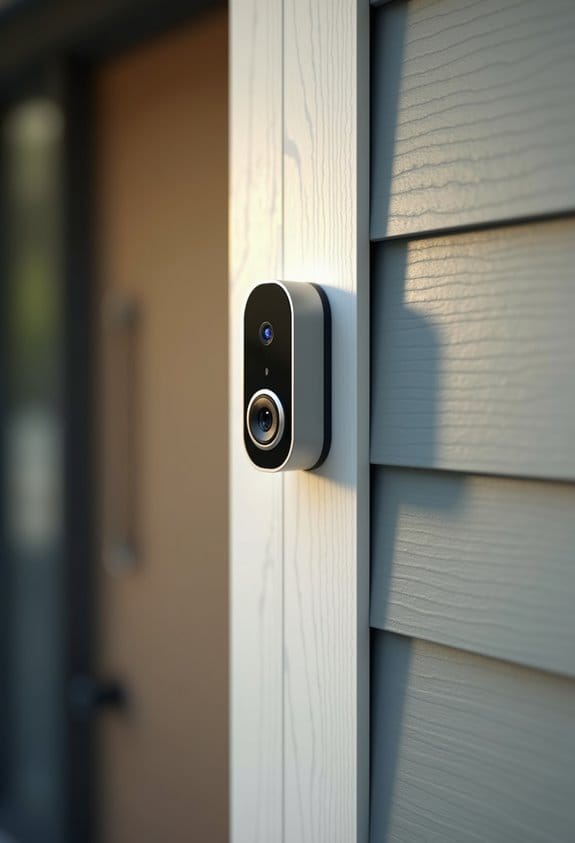

If your indoor chime buzzes after installing a doorbell camera, it’s likely due to incorrect wiring or incompatible components. Check that your transformer delivers 16-24 VAC and between 10 VA to 40 VA. Mechanical chimes work best, while digital ones often cause buzzing. Verify connections for red and white wires are secure. Adding a 20-ohm resistor may help stabilize voltage. We’ll explore proper installation techniques and solutions for persistent buzzing in more detail.
Key Takeaways
- Buzzing often occurs due to incompatible digital chimes rather than optimal mechanical chimes with wired doorbell cameras.
- Incorrect wiring or transformer mismatches (16-24 VAC and 10 VA to 40 VA) can lead to buzzing issues.
- The installation of a Chime Connector may be necessary to regulate voltage and eliminate buzzing problems.
- Adding a resistor (around 20 ohms) can help stabilize voltage, especially if using multiple chimes.
- Persistent buzzing may indicate wiring issues or require professional help for resolution and safety assurance.
Why Does My Chime Buzz After Installing a Doorbell Cam?

When we install a doorbell camera, we might notice our indoor chime buzzing excessively. This chime buzzing can often stem from incorrect wiring or incompatible components. One common issue is using a transformer that doesn’t meet the required output of 16-24 VAC and between 10 VA and 40 VA. Mechanical chimes typically pair well with wired doorbell cameras, while digital chimes may struggle, causing unwanted noise. Sometimes, adding resistors can balance the voltage and eliminate buzzing, especially with multiple chimes. Regularly checking wiring connections is critical; we should verify that wires aren’t touching or shorting out. Addressing these factors can help resolve the buzzing, allowing us to enjoy the benefits of our doorbell camera without persistent disturbances. Choosing a transformer with the correct voltage compatibility is essential to prevent such issues.
What Chime Types Work Best With Your Doorbell Camera?

Selecting the right chime for your doorbell camera is essential for seamless operation. For wired doorbell cameras, mechanical doorbell chimes are the best option. They’re designed to work with the necessary power requirements, typically between 16-24 VAC. Using a digital chime can lead to compatibility issues and unwanted buzzing. Additionally, be aware that many installations require a Chime Connector or specific resistors. These components help balance the voltage to prevent buzzing and guarantee proper functionality. When setting up, we must also verify that the chime settings in the associated apps are configured correctly. By following these guidelines, we can enjoy a fully functional doorbell camera experience without the annoyance of buzzing noises. Understanding your doorbell camera’s power requirements is also critical to ensure compatibility with your chime and avoid electrical issues.
The Importance of the Chime Connector to Prevent Buzzing

To guarantee a doorbell camera operates without buzzing, having a Chime Connector is vital. This device acts as a chime controller, managing voltage supply effectively to prevent any unwanted buzzing sounds. If we skip installing the Chime Connector, we might encounter continuous buzzing or spontaneous chimes, signaling improper voltage handling. Installing it makes certain our doorbell cam activates the chime only when the button is pressed. This way, unwanted chime activation is avoided. Correct wiring with the Chime Connector is important, especially in setups with multiple chimes, as it maintains compatibility. It’s advisable to refer to wiring diagrams for the Chime Connector during installation. This step will help us avoid buzzing issues and guarantee everything functions smoothly. Additionally, using a transformer with the correct voltage compatibility ensures optimal performance and prevents buzzing caused by mismatched electrical output.
How to Diagnose Chime Wiring Issues
Diagnosing chime wiring issues can be straightforward, even if buzzing sounds make us wonder what went wrong. First, let’s check if our chime is mechanical, as digital chimes often struggle with wired doorbell cameras. Next, we should verify that our transformer meets the requirements, ideally between 16V 10VA and 24V 40VA. If buzzing persists, inspecting the wiring is vital; ensuring the red and white wires are connected correctly can sometimes solve the issue. Additionally, installing a resistor around 20 ohms across the chime terminals may help reduce buzzing by stabilizing the voltage. Finally, continuous buzzing might indicate the need for a chime connector or controller to properly manage activation and prevent excess current flow. Many modern doorbell cameras also feature wireless installation, which can help bypass some of the traditional chime wiring issues entirely.
How to Properly Install and Configure Your Doorbell Camera
When installing a doorbell camera, ensuring compatibility with our existing chime system is essential. If we’re using a wired doorbell camera, it must connect to a mechanical doorbell. First, we should check that our transformer operates between 16-24 VAC and has a capacity of 10 VA to 40 VA for ideal performance. Next, we need to configure the chime type in the device app or online, selecting the mechanical chime option. This helps eliminate buzzing sounds. If our installation requires resistors, let’s follow the manufacturer’s instructions, as these control voltage and prevent humming. Finally, if issues remain, we should inspect all connections for snugness, making sure worn wires are taped with electrical tape for stability. It is important to select transformers with UL certification to ensure safety and reduce the risk of electrical problems during installation.
Best Solutions for Chime Buzzing Issues
Buzzing sounds from the indoor chime after installing a doorbell camera can be frustrating, but several solutions are available to resolve the issue. First, we should check if the transformer voltage is compatible with our doorbell system. If it’s not, switching to a compatible mechanical chime may help. Installing resistors around 20 ohms can also regulate the voltage and eliminate buzzing. Next, securing all wiring connections with tight screws and using electrical tape on worn wires can prevent shorts. Utilizing a chime connector—especially for models like the Google Nest Hello Doorbell—is essential for proper function. If these steps don’t resolve the buzzing, we may need to seek community insights or consider professional help. Additionally, ensuring that the doorbell system supports standard communication protocols can prevent compatibility issues that might contribute to chime buzzing.
When to Call a Professional for Doorbell Installation Help?
Considering the challenges that can arise during doorbell installation, it’s important to recognize when calling a professional becomes necessary. If your indoor chime would persistently buzz after installing a doorbell camera, it may signal improper wiring or a need for a chime connector. We should seek professional help if we’ve tried troubleshooting multiple times without success. If buzzing is accompanied by electrical odors or sparking, immediacy in calling a pro is vital for safety. For those with outdated transformers, a technician can assess their compatibility with the doorbell. Finally, if you’ve got a complex chime system, expert assistance guarantees proper configuration, avoiding further buzzing issues that might arise. Additionally, ensuring compliance with local electrical codes during installation helps prevent wiring issues and enhances device safety.
Frequently Asked Questions
Why Is My Doorbell Chime Just Buzzing?
If our doorbell chime’s buzzing, it usually signals doorbell issues, like incorrect compatibility or faulty wiring. We should check connections, voltage, and consider installing a resistor to resolve the annoying chime buzzing.
How to Tell if a Doorbell Chime Is Bad?
Ever wondered if that buzzing doorbell means trouble? We can tell a chime’s bad by checking its compatibility with our doorbell and ensuring its voltage matches. Look for physical damage or malfunctioning issues too!
When I Installed My Eufy Doorbell, My Chime Makes a Buzzing Sound.?
When we installed our Eufy doorbell, the buzzing chime likely indicates doorbell compatibility issues. We should check the chime’s voltage requirements and transformer specifications to resolve this irritating problem for good.
What Are the Signs of a Failing Chime?
We’ll notice signs of a chime malfunction like buzzing or humming sounds, wiring issues, and erratic behavior. If our chime shows wear or responds inconsistently, it’s likely time to investigate further or replace it.


