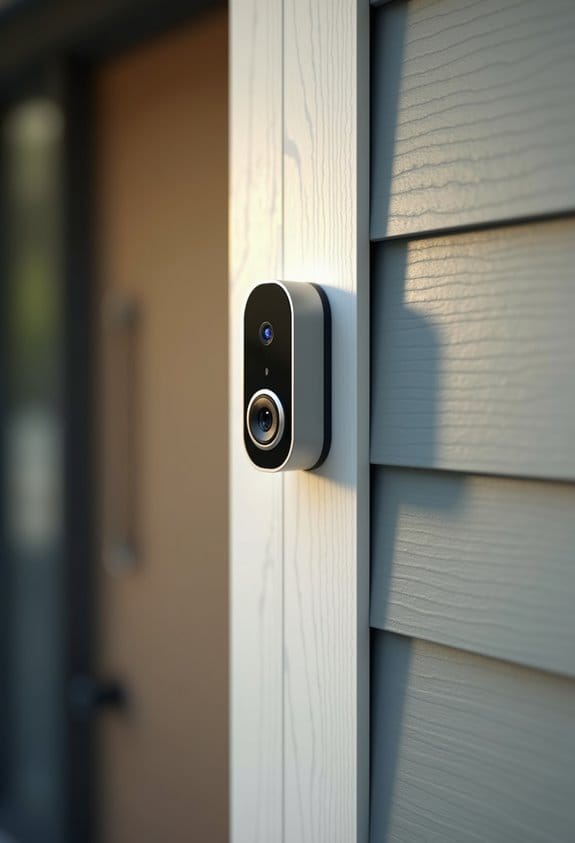
To install a battery video doorbell without existing wiring, first, choose a location near your front door with a clear view and strong Wi-Fi. Mark the wall using the mounting bracket as a template. Secure the bracket, ensuring it’s level, then charge the doorbell’s battery fully. Download the manufacturer’s app, connect to Wi-Fi by following the prompts, and finally mount the doorbell. This straightforward process simplifies home security. Let’s explore ideal positioning and additional features that enhance performance.
Key Takeaways
- Choose a location near your front door with strong Wi-Fi, clear visibility, and an optimal height of about 4 feet (1.2 meters).
- Mark the mounting holes using the bracket as a template and secure the bracket using appropriate anchors if installing on masonry.
- Fully charge the doorbell’s built-in battery before installation to ensure it operates correctly from the start.
- Download the manufacturer’s app and follow the Wi-Fi setup instructions, carefully entering your home Wi-Fi password.
- Regularly recharge the battery every 1-3 months and clean the camera lens monthly for optimal performance.
Installing Your Doorbell: Step-By-Step Guide

To begin installing your battery video doorbell, let’s choose the right location. We should select a spot near the front door that offers a clear view and a strong Wi-Fi signal. Next, we’ll mark the mounting holes on the wall using the bracket as a template. If we’re working with masonry, be sure to use anchors. Once the holes are drilled, we’ll secure the mounting bracket to the wall, ensuring it’s level. Now it’s time to charge the doorbell’s built-in battery. Make sure it’s fully charged before we install it. Finally, we’ll snap the doorbell onto the bracket and follow the manufacturer’s instructions to connect it to our Wi-Fi network. Don’t forget to test its functionality afterward. Many battery-powered models are designed with a wire-free and weather-resistant design to facilitate easy installation and durability outdoors.
Why a Battery Video Doorbell Is Worth It

While some may assume that a traditional wired doorbell is the only option for a secure entryway, battery video doorbells offer numerous advantages that make them a practical choice for many homeowners and renters alike. These battery-operated doorbells, like the eufy Video Doorbell E340, eliminate the need for existing doorbell wiring. Installation instructions are straightforward, allowing us to easily install a doorbell camera. With a rechargeable battery that lasts for months, maintenance is minimal. Additionally, they deliver high-resolution video, often up to 2K Full HD, ensuring we can monitor visitors clearly. Smart features, including motion detection and two-way audio, enhance security without subscription fees, making them a cost-effective choice in our smart home setups. Many also come with weather resistance capabilities, ensuring reliable performance regardless of outdoor conditions.
Connecting Your Doorbell to Wi-Fi

Connecting your battery video doorbell to Wi-Fi is vital for utilizing its smart features effectively. Start by ensuring the battery pack is fully charged before we install the video doorbell at our front door. Next, we’ll download the manufacturer’s app on our smartphone or tablet, then create an account. Following this, we’ll navigate to the Wi-Fi settings within the app. We’ll select our doorbell camera from the list of available devices, and when prompted, enter the home Wi-Fi password carefully, as it’s case-sensitive. After we connect power, we should see a confirmation message and possibly some flashing lights on the doorbell, indicating successful pairing. This connection is essential for receiving alerts and accessing live video feeds. Many models operate on 2.4 GHz Wi-Fi networks, which offer reliable connectivity essential for uninterrupted video streaming and notifications.
Positioning Your Doorbell for Optimal Performance
Positioning your battery video doorbell correctly is vital for maximizing its performance and guaranteeing a reliable connection. We recommend placing the doorbell at a height of approximately 4 feet (1.2 meters). This height offers ideal viewing and accessibility. It’s imperative to have a clear line of sight to the area where visitors will approach, which enhances motion detection and video capture. Additionally, choose a location near your entrance that has strong Wi-Fi connectivity; this secures a reliable connection with the mobile app. Avoid mounting the doorbell in direct sunlight or extreme weather conditions, as these can affect performance and battery life. If your entryway is angled, consider using a wedge or corner mounting kit for a better field of view. Ensuring the doorbell has a wide field of view is essential for capturing more details and reducing blind spots.
Troubleshooting Installation Issues
After ensuring that we’ve positioned our battery video doorbell correctly, we may still encounter some installation issues. If our battery-powered doorbell isn’t connecting to Wi-Fi, let’s check that we’re within range of the router and that the network password entered is correct. If the doorbell fails to power on, we need to confirm that the battery is charged and inserted according to the manufacturer’s instructions. For not receiving notifications on our mobile devices, we should verify app permissions and notification settings. If the video feed is lagging, resetting the doorbell and checking Wi-Fi signal strength is advisable. Finally, for motion detection issues, adjusting sensitivity settings and ensuring the doorbell is mounted at about 4 feet can improve performance. Additionally, verifying that the doorbell supports two-way audio communication can help confirm full functionality and interactivity.
Maintaining Your Battery Video Doorbell for Longevity
To keep our battery video doorbell functioning well over time, we need to establish a regular maintenance routine. First, we should recharge the battery every 1-3 months, depending on usage and environmental conditions. Next, it’s crucial to clean the doorbell camera lens with a soft, lint-free cloth at least once a month to retain clear video quality. We also have to periodically inspect the mounting brackets and screws for any signs of wear, tightening them as needed. Additionally, let’s guarantee peak connectivity by testing our Wi-Fi signal strength at the location. Finally, don’t forget to update the firmware through the app whenever notifications are available, enhancing performance and security features. Using a compatible doorbell power bypass can improve the overall performance and longevity of your device by ensuring consistent power supply.
Boosting Your Battery Video Doorbell’s Security Features
Maintaining the functionality of our battery video doorbell goes hand-in-hand with boosting its security features. First, let’s enable two-factor authentication for our doorbell camera. This extra step considerably reduces unauthorized access without an existing power source. Next, we’ll configure the motion detection settings in the app. We can also create activity zones to limit alerts to specific areas, enhancing our security awareness. Adjusting the camera’s sensitivity helps us optimize performance, ensuring important movements are captured while cutting down on false notifications. We should regularly update your doorbell’s firmware to incorporate the latest improvements. Ultimately, while charging the built-in battery, we should monitor performance and settings frequently, ensuring robust security over time. Choosing batteries with built-in circuit protection provides an additional safety layer for your device.
Enhancing Functionality With Additional Features
We can greatly enhance the functionality of our battery video doorbell by taking advantage of additional features it offers. By utilizing cloud video storage, we can guarantee continuous recording, letting us easily access important moments captured by our doorbell camera. Enabling smart motion detection allows us to customize sensitivity settings, reducing false alerts while still notifying us of significant activity at our door. The two-way audio feature can help us communicate directly with visitors through the app, which is useful for enhancing security and convenience. In addition, integrating our doorbell camera with other smart home devices, like smart locks or lights, creates automated routines, giving us even greater control over our home’s safety. Regular firmware updates keep our device secure and fully functional. Choosing a doorbell camera with local storage options also allows us to store footage securely without ongoing subscription fees.
Frequently Asked Questions
How to Install a Doorbell Without Existing Wiring?
To install a doorbell without existing wiring, let’s choose a battery doorbell for its benefits. We’ll focus on smart home integration, battery life management, and troubleshooting common issues to enhance our outdoor security solutions.
How to Install a Ring Doorbell if There Is No Existing Doorbell?
To install a Ring doorbell without existing wiring, let’s start by choosing a location, utilizing wireless technology, and following installation tips. We’ll enjoy smart home security features like motion detection and app integration, backed by positive user reviews.
Is There a Doorbell That Doesn’t Require Wiring?
Yes, there’re wireless doorbell options with impressive battery life performance. We recommend checking customer reviews insights for security features comparison and installation tips guide, plus evaluating their cost effectiveness analysis and smart home integration capabilities.
How to Wire a Battery Ring Doorbell?
To wire the battery Ring doorbell, we’ll guarantee it’s charged, secure it at the right height, and set up using the app. Let’s optimize battery life and troubleshoot any issues for smart home compatibility.