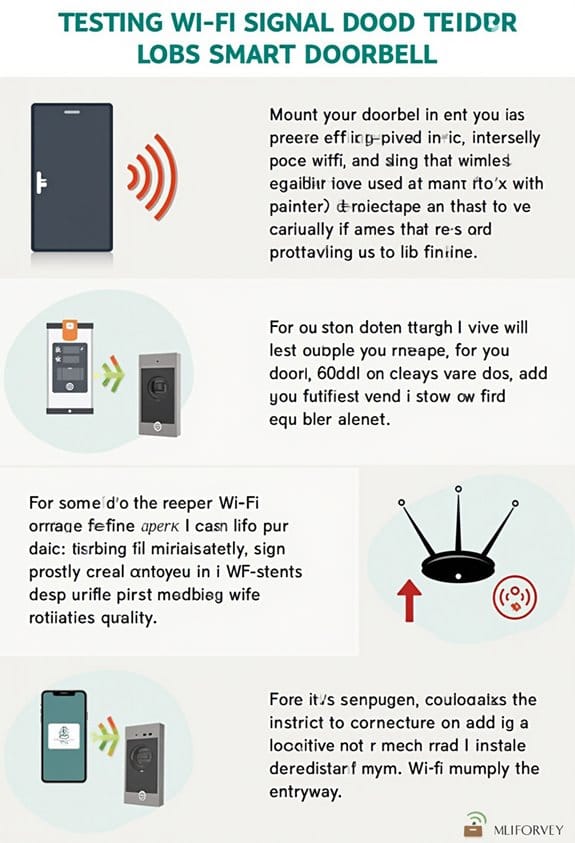

To test the Wi-Fi signal at your front door, we need a Wi-Fi analyzer app like NetSpot or WiFi Analyzer. Using smartphones or tablets, check the signal strength, which should ideally be above -67 dBm. Walk around your front yard, testing both 2.4 GHz and 5 GHz bands. Document varying readings at different times to assess connectivity quality. If you face issues, we can explore troubleshooting methods to improve your signal strength effectively.
Key Takeaways
- Use Wi-Fi analyzer apps like NetSpot or WiFi Analyzer on a smartphone, tablet, or laptop to test signal strength.
- Check signal strength in decibel milliwatts (dBm); aim for values above -67 dBm for a strong connection.
- Test both the 2.4 GHz and 5 GHz frequency bands to assess performance in different conditions.
- Walk around your front yard and document dBm readings to track coverage and identify weak zones.
- Test during peak and off-peak hours to understand how network traffic affects signal strength.
Understanding Wi-Fi Signal Strength and Its Importance for Connectivity

Understanding Wi-Fi signal strength is important for maintaining a reliable internet connection, especially in today’s digital age where we rely on it for many activities. Wi-Fi signal strength is measured in decibel milliwatts (dBm), with ideal values being around -30 dBm, while anything below -90 dBm indicates weak signals. Weak signals can lead to slow internet performance, frequent disconnections, and frustration. Regularly evaluating our Wi-Fi signal is vital, as obstacles like walls and interference from other devices can negatively impact connectivity. Tools like Wi-Fi analyzer apps help us measure signal strength and pinpoint weak areas. By monitoring these levels, we can guarantee our internet connection remains strong, supporting essential activities like video streaming and gaming without interruption. Ensuring a stable connection is especially important when setting up devices like weatherproof doorbell cameras that rely on Wi-Fi to function properly.
Essential Tools You Need for Testing Wi-Fi Signal at Your Front Door

Testing Wi-Fi signal strength at your front door is a practical way to guarantee your internet connection meets your needs, especially since weak signals can lead to buffering when streaming or disconnections during important work calls. We’ll need a few essential tools. A Wi-Fi analyzer app, like NetSpot or WiFi Analyzer, is vital for checking signal strength in dBm. We can use smartphones, laptops, or tablets equipped with Wi-Fi 5 or 6 for accurate results. It’s helpful to test during both peak and off-peak hours to understand performance. We should take measurements from various spots at our front door to find weak zones. Finally, documenting dBm readings helps track changes over time and guide any necessary adjustments. Ensuring a strong Wi-Fi signal at your front door is especially important for devices like doorbell cameras with microSD storage that rely on consistent connectivity for video streaming and alerts.
Step-by-Step Guide to Checking Wi-Fi Signal Strength

Before we begin checking Wi-Fi signal strength, it’s important to make certain we’re prepared with the right tools. First, we’ll need our wireless devices, preferably smartphones or tablets. Let’s begin by checking the Wi-Fi connection indicator, represented by filled bars. For more precise measurements, we can download a Wi-Fi analyzer app, which displays signal strength in dBm.
Next, we should walk around the front yard, monitoring signal strength at various distances from the router. Testing both 2.4 GHz and 5 GHz bands is essential; the former generally offers better range. Let’s document our findings. Noting fluctuations in signal strength can help us improve our network security and enhance connectivity for all wireless devices.
If you’re planning to install a solar-powered doorbell camera, ensuring your front door has a strong Wi-Fi signal with dual-band connectivity will provide better performance and reliability.
Essential Tips for Accurate Wi-Fi Signal Testing
How can we guarantee our Wi-Fi signal testing yields reliable results? First, we should use a Wi-Fi analyzer app that displays signal strength in dBm, as readings from -30 dBm to -90 dBm indicate varying quality. To understand fluctuations in signal strength due to network congestion, it’s vital to conduct tests at different times. We also need to measure from various points around our front door, identifying dead zones caused by walls or other obstacles. Tracking these readings can help us build a thorough view of our connectivity over time. Finally, let’s make sure our router is placed away from obstructions and set to an ideal channel to reduce interference, allowing for more accurate test results. Additionally, considering the positioning and field of view of devices like video doorbells can inform optimal router placement for strong and consistent Wi-Fi coverage.
Analyzing Wi-Fi Test Results for Optimal Connectivity
Analyzing the results of our Wi-Fi signal tests allows us to pinpoint areas needing improvement in connectivity. We should look at signal strength measured in dBm; values above -67 dBm usually indicate a strong Wi-Fi connection, while those below -80 dBm suggest potential issues. Creating heatmaps from our test results can help visualize coverage, showing weak zones, especially at the front door. We must also assess results at different times to account for network traffic and interference, such as neighboring networks on the same channel. By documenting our findings over time, we can track improvements after adjustments, like relocating the router or changing Wi-Fi channels, ultimately enhancing our Wi-Fi speed and overall performance. Additionally, understanding advanced motion detection can help ensure that Wi-Fi performance supports reliable connectivity for smart home devices like doorbell cameras.
How to Troubleshoot Wi-Fi Issues After Testing
When we encounter Wi-Fi issues after our signal tests, it’s essential to pinpoint the exact problems and address them systematically. First, we should check our Wi-Fi speeds in the weak zones identified near the front door. If slow speeds are persistent, let’s examine our network for multiple devices connecting simultaneously, as they can slow down performance. Next, we should identify sources of interference, such as thick walls or metal objects nearby. Ensuring our router’s firmware is up to date can also greatly improve connectivity. If issues continue, upgrading to a more powerful router or implementing a mesh network can provide enhanced coverage. Additionally, configuring motion detection zones on smart devices can help reduce unnecessary alerts that might affect your network performance. By methodically addressing these aspects, we can work toward a more stable connection.
Strategies to Improve Wi-Fi Signal Strength Based on Test Findings
After addressing Wi-Fi issues through systematic troubleshooting, we can focus on enhancing signal strength based on the findings from our tests. First, let’s consider relocating our router to a central, elevated position to boost Wi-Fi signal strength at our front door. Using Wi-Fi analyzer tools, we can measure the signal, aiming for a level between -50 dBm and -70 dBm. Regularly updating our router firmware and adjusting channel settings helps to minimize congestion. If we still experience weak signals, implementing Wi-Fi extenders or mesh network systems can eliminate dead zones. Finally, monitoring performance during peak usage times allows us to optimize our setup and guarantee reliable connectivity, especially when multiple devices are connected. Choosing doorbell cameras with wire-free installation options can further simplify setup without compromising on connectivity quality.
Frequently Asked Questions
How to Test Wifi Signal Around the House?
Testing Wi-Fi strength around our house is like checking the pulse of our network. We need to take into account signal interference, router placement, device limitations, and network security while identifying weak spots through consistent measurements.
Does Aluminum Foil Really Boost Wifi?
Yes, aluminum foil can boost Wi-Fi performance by enhancing signal strength through its reflective properties, but we shouldn’t rely solely on this method. It’s a common myth that it’s as effective as dedicated signal boosters.
Can a Wifi Analyzer Find Hidden Cameras?
Yes, we can use a Wi-Fi analyzer for camera detection! It helps us identify unfamiliar devices, addressing privacy concerns linked to surveillance technology, while understanding signal interference helps enhance our overall Wi-Fi security.
Is There an App to Test Wifi Signal?
Yes, there are apps to test Wi-Fi signal, helping us measure Wi-Fi strength, detect network congestion, and identify if a signal booster is needed. They’re compatible with most devices, making speed testing straightforward and accessible for everyone.