


If your motion detection is too sensitive or not sensitive enough, we can adjust the settings for better performance. Start by modifying the sensitivity settings, as high sensitivity leads to false alarms, while low sensitivity may miss key movements. Clean the sensor regularly, removing dirt that could impair detection. Testing sensor angles and placements will help, so check them during different times of day. By fine-tuning these aspects, we can achieve ideal results tailored to your environment. More information will follow.
Key Takeaways
- Adjust the sensitivity settings regularly to balance false alarms with important motion detection.
- Clean the sensor with a damp cloth to enhance detection performance and reduce unwanted alerts.
- Position sensors strategically towards high activity areas to minimize unnecessary triggers from moving objects.
- Conduct periodic tests at different times, adjusting angles and placements based on feedback for optimal responsiveness.
- Utilize customizable activity zones and AI technology to focus detection and differentiate between people, pets, and vehicles.
Identifying and Troubleshooting Motion Detection Sensitivity Issues

When dealing with motion detection sensitivity issues, it’s crucial to approach the problem systematically. First, let’s check the sensitivity settings on the PIR sensor. A high sensitivity can trigger false alarms due to small movements, like insects, while low sensitivity might miss larger motions, such as a person walking by. We should regularly clean the sensor with a damp cloth to remove dirt that could impair detection. After adjusting the settings, we need to test the sensor’s functionality. Also, take note of environmental factors; moving objects, like flags or active insects, may trigger unnecessary alerts. If issues persist, we can confirm correct wiring and verify the power supply is stable, as disruption can lead to sensor malfunctions. Additionally, using customizable activity zones can help tailor alerts and reduce false alarms by focusing detection on specific areas.
How to Optimize Motion Detection for Accuracy

To optimize motion detection for accuracy, we must carefully consider several factors that influence the effectiveness of our sensors. First, we should adjust the sensitivity settings of our PIR sensors to balance significant movements with the avoidance of false alerts from things like insects. Next, fine-tuning the sensor’s position is essential; it should be aimed directly at the area of interest, not at walls or the ground. Regularly cleaning the sensor will help maintain its functionality, preventing missed detections. Additionally, setting an appropriate light duration—typically between one to two minutes—ensures the lights aren’t on all night while still providing security. Finally, we must thoroughly test the setup by walking around the secured area to confirm the sensor’s responsiveness. Utilizing doorbell cameras with intelligent motion detection can further help minimize false alerts and provide more accurate security monitoring.
Effective Strategies to Minimize False Triggers
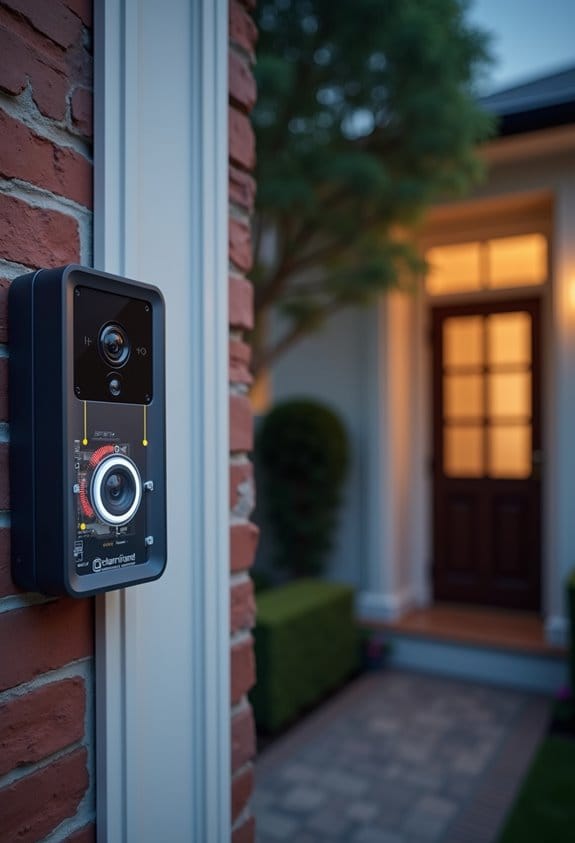
Minimizing false triggers in motion detection systems is vital for maintaining their effectiveness and ensuring security. To achieve this, we should adjust the sensitivity settings on our motion sensors. Lower sensitivity helps reduce false triggers from small movements, like insects or passing cars. Regular cleaning of the motion sensor, to remove dust and dirt, can greatly enhance detection and reduce unwanted alerts. It’s essential to position the sensor towards areas of expected activity while avoiding nearby streets or animal paths. Additionally, setting the light duration to activate for one to two minutes prevents unnecessary activation. Finally, let’s test the sensor performance at night after adjustments to fine-tune sensitivity and improve overall reliability. Incorporating AI-powered human and motion detection technology can significantly reduce the number of false alerts by distinguishing between people, pets, and vehicles.
How to Personalize Your Sensor Settings for Best Results?
Personalizing your sensor settings is essential for achieving ideal motion detection results. Start by adjusting the sensitivity setting on your PIR motion sensor, finding that balance between detecting genuine movement and minimizing false triggers. High sensitivity might catch small movements, while low sensitivity only registers larger actions. It’s also vital to regularly clean the sensor to prevent dirt buildup that can impair function. Next, test different sensor angles and placements, especially at night when you can see how well it covers your area. After these adjustments, conduct periodic tests to confirm effectiveness, ensuring your sensor performs as intended. This systematic approach will allow us to tailor our motion detection for best performance, reducing frustrations with over- or under-sensitivity. Additionally, installing tamper-resistant screws can enhance the security of your sensor hardware, protecting it from unauthorized removal or tampering.
Mastering Motion Detection for Your Unique Environment
Understanding your environment is vital for mastering motion detection. First, we need to adjust the sensitivity of our motion sensors. High sensitivity can trigger false alarms from small movements, like insects, while low sensitivity might neglect larger motions, such as people. Regular cleaning of the motion sensor is important, as dirt can impair detection capabilities. Testing its position at night allows us to guarantee it covers the intended area without picking up irrelevant movements. We might also consider environmental factors: well-lit areas enhance our sensors’ effectiveness, while a limited field of view can reduce false triggers. Finally, combining beam and motion sensors can enhance automation, addressing each technology’s limitations. Additionally, setting customizable activity zones can further improve motion detection accuracy by focusing alerts on specific areas of interest.
Frequently Asked Questions
Should Motion Detection Sensitivity Be High or Low?
We believe motion detection settings should be adjusted for ideal sensitivity levels based on our surroundings. By adjusting sensor placement and carefully calibrating sensitivity, we can optimize performance and avoid unnecessary alerts.
How to Increase the Sensitivity of a Motion Detector?
To increase the sensitivity of a motion detector, can’t we just adjust the settings? By finding the best sensitivity settings, we enhance detection range, ensuring accurate alerts while monitoring performance for false triggers.
How to Troubleshoot a Motion Sensor?
To troubleshoot a motion sensor, let’s check the motion detector placement, review user settings for sensitivity adjustments, and consider environmental factors that might affect performance, ensuring everything’s clean and correctly aimed for ideal detection.
Should I Use High or Low Sensitivity for Trail Camera?
For our trail camera settings, we recommend starting with mid-range sensitivity. It balances detecting wildlife while minimizing false triggers. Adjust based on camera placement and environment, testing for best results with various activities.


