
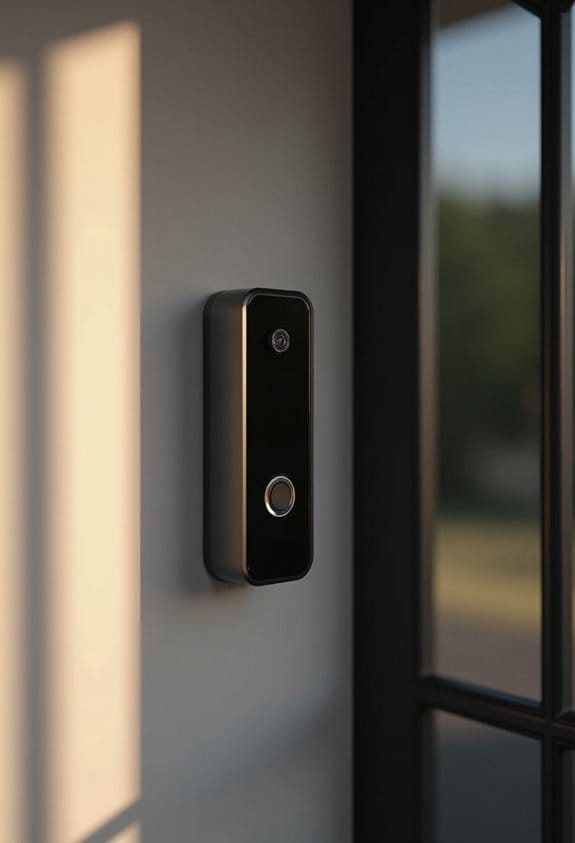

Visitor announcements work by linking your smart speakers with devices like the Nest Doorbell. When someone presses the doorbell, we receive instant audio alerts and visual notifications across all connected devices. This system utilizes Google Assistant to guarantee we hear the announcements no matter where we are in the home. For peak performance, make sure all devices are on the same Wi-Fi network. Stay tuned to discover more on setting up and customizing these features.
Key Takeaways
- Visitor announcements trigger audio notifications across Google Assistant speakers when the Nest Doorbell is pressed, enhancing home security and visitor management.
- The feature can be customized through the Google Home or Nest app, allowing adjustments to volume, alert tones, and speaker groups.
- Integration with Nest Aware enables Familiar Faces recognition, providing personalized notifications for known visitors.
- Homeowners can view live video feeds on Google Assistant displays to verify the identity of visitors in real-time.
- The system operates primarily within Google’s ecosystem, with limited compatibility for non-Google smart devices.
What Are Visitor Announcements and Why You Need Them?

Visitor Announcements are a helpful feature that enhances our ability to manage home security and stay connected with visitors. They allow our Google Assistant speakers to notify us whenever someone presses the Nest Doorbell. We can configure these notifications through the Google Home or Nest app, ensuring alerts are sent across all our connected Google Assistant-enabled devices. If we have a Nest Aware subscription, the Visitor Announcements integrate with the Familiar Faces capability, identifying recognized individuals. Additionally, we get immediate video feeds from the Nest Doorbell on Google Assistant displays, allowing us to see who’s at the door. By implementing Visitor Announcements, we can maintain security and awareness of visitors even from a distance. This makes them invaluable in smart home setups. Ensuring strong WiFi signal is critical for optimal performance of these smart notifications and video streaming.
How Visitor Announcements Enhance Home Security

Home security is a top priority for many of us, and Visitor Announcements play a significant role in enhancing that security. When someone presses the Nest Doorbell, these announcements provide instant audio alerts through our linked Google Assistant speakers, improving our situational awareness. If we enable the Familiar Faces feature, we can even receive personalized notifications for recognized visitors, providing an extra layer of reassurance. All connected devices will transmit voice notifications, ensuring we’re alerted no matter where we are in the house. Plus, with the Do Not Disturb feature, we can mute certain speakers for privacy when needed. Overall, Visitor Announcements help deter unwanted visitors, signaling that a smart security system is actively monitoring our premises. Many smart doorbell cameras also offer AI human detection which minimizes false alerts and enhances the reliability of these announcements.
Top Features of Nest Doorbell Visitor Announcements

How do Nest Doorbell Visitor Announcements improve our experience with home security? They notify us across all Google Assistant speakers instantly when someone presses the Nest Doorbell. This means we’re alerted in real-time, enhancing our awareness of who’s at our door. The feature also provides voice notifications that include a visual feed on compatible Assistant displays, ensuring we see visitors clearly. With a Nest Aware subscription, the Familiar Faces feature identifies recognized visitors by name, making it more personal and informative. If we need quiet, we can activate Do Not Disturb mode on specific speakers while keeping others fully functional. Together, these features help us manage home security without hassle while staying informed about who’s visiting. Additionally, the Nest Doorbell supports two-way audio so users can communicate directly with visitors remotely.
How to Set Up Visitor Announcements on Your Smart Devices
Setting up Visitor Announcements on our smart devices can enhance our home security markedly. First, we’ll need the Google Home app on our mobile device, along with a compatible Nest video doorbell. After opening the app, we select the Nest doorbell feed and tap the three lines in the top right corner to access settings. From here, we choose ‘Voice Notifications’ and toggle our preferences to activate Visitor Announcements. This feature guarantees all our Google Assistant speakers alert us when someone presses the doorbell, providing synchronized notifications throughout our home. Keep in mind that if we want to use the Familiar Faces feature, we’ll need a Nest Aware subscription for personalized visitor identification. Additionally, integrating the doorbell with Google Assistant allows for seamless voice control and real-time alerts across all connected devices.
Customizing Visitor Announcements for Your Doorbell
Customizing Visitor Announcements on your Nest Doorbell can greatly enhance your notification experience, especially if we want to streamline alerts based on our household needs. To adjust these settings, we can open the Google Home app, select our Nest Doorbell, and navigate to the Voice Notifications section. Here, we can enable or disable announcements as necessary. However, it’s important to note that while we can utilize multiple Google Assistant speakers, announcements will play on all connected speakers simultaneously, not selectively. If we need some quiet time, we can activate the Do Not Disturb mode on individual speakers. For those with a Nest Aware subscription, the Familiar Faces feature allows the doorbell to announce known visitors by name. Additionally, the Nest Doorbell offers smart detection capabilities that enhance alert accuracy by distinguishing people, packages, animals, and vehicles.
Troubleshooting Common Visitor Announcement Issues
Visitor announcement issues can be frustrating, especially when we’re expecting timely alerts from our Nest Doorbell. To address these problems, first, guarantee that our Google Assistant speakers are connected to the same Wi-Fi network as the doorbell. Next, in the Google Home app, check that Voice Notifications are enabled in the doorbell settings. If we only want specific devices to announce visitors, we can utilize the Do Not Disturb feature on others. Additionally, we might want to create speaker groups in the app to control which speakers notify us upon a doorbell press. Finally, if notifications seem unsynced, restarting both our Google Assistant speakers and the Nest Doorbell can help establish connections and resolve syncing issues. Ensuring that the doorbell has smart motion detection technology can also improve the accuracy of visitor alerts and reduce false notifications.
How to Integrate Visitor Announcements With Sonos Speakers?
Integrating visitor announcements from your Nest Doorbell with Sonos speakers enhances your home’s security and convenience. First, make certain that your Sonos devices, such as the Sonos One or Move, are compatible with Google Assistant and added to the Google Home app. Next, link the Nest Hello doorbell to your Sonos speakers via the Google Home app. Adjust the notification settings to enable Voice Notifications for the Nest Doorbell. This guarantees that Sonos speakers will alert you when someone arrives. Additionally, if you subscribe to Nest Aware, you can use Familiar Faces to identify visitors. Finally, confirm all devices are connected to the same Wi-Fi network, and consider setting specific Sonos speakers on Do Not Disturb for tailored notifications. For optimal audio clarity and seamless interaction, ensure your devices support two-way audio communication.
Compatibility With Other Smart Devices
Although it may seem convenient to connect Visitor Announcements to a variety of smart devices, we should know that this feature currently operates primarily within Google’s ecosystem. This means that to fully utilize Visitor Announcements, you’ll need a Nest Doorbell and compatible Google Assistant speakers. The notifications when someone presses the doorbell can only be received through these specific devices. Unfortunately, if you’re using non-Google equipment, you will face significant limitations. As of now, there’s no support for integrating Visitor Announcements with third-party smart devices. For users wanting to enhance their smart home setup with a video doorbell, sticking to Google products will guarantee a seamless experience without these compatibility issues. Additionally, the integration is enhanced by the Nest Doorbell’s smart detection technology, which tailors alerts for optimal user experience.
Future Enhancements for Visitor Announcements
As we look ahead, there are exciting prospects for enhancing Visitor Announcements on smart speakers. Customizable notification settings will allow us to choose specific speakers or groups for alerts when a doorbell rings. We could select unique chime sounds, assigning different tones to different speakers or even specific visitors. Advanced AI features might enable improved facial recognition with Nest Aware to better recognize familiar faces, making alerts more relevant. Developers are also considering multi-device syncing, ensuring all speakers provide simultaneous alerts without delays. Finally, seamless integration with third-party smart home devices will expand our automation capabilities, further enhancing our smart home experience. Plus, receiving a notification on my phone could add another layer of convenience. Additionally, the ability to customize alert tones and adjust volume settings will improve the personalization of visitor notifications.
Frequently Asked Questions
How Do I Turn on a Visitor Announcement?
Wondering how to turn on Visitor Notifications? Let’s check it out! We simply need to open the Google Home app, access our Nest video doorbell settings, and toggle on Visitor Announcements for full effectiveness.
Can You Make an Announcement on Google Nest?
Yes, we can make announcements on our Google Nest devices! By using simple voice commands, we can communicate effectively throughout our Smart Home, ensuring everyone hears important messages or reminders all at once.
How Does the Nest Camera Notify You?
The Nest Camera notifies us through camera alerts on Google Assistant speakers when it detects motion or a doorbell press. We can customize these alerts via the Google Home app for our convenience.
How to Work Google Smart Speaker?
To work our Google Smart Speaker, we simply use voice commands. We can ask it to play music, manage tasks, or control smart home devices, making our daily routines more convenient and enjoyable.