


If your chime stops working after installation, we should first check the wiring for loose or damaged connections. Next, verify that the transformer provides 16-24 volts; using a multimeter can help here. Confirm the app settings have the correct chime type selected and that “Ring my in-home Chime” is enabled. If issues persist, a factory reset may help. If we address these troubleshooting steps, we can assess if further action is needed.
Key Takeaways
- Check wiring connections in the chime box for security or damage that may disrupt functionality.
- Use a multimeter to verify that the transformer outputs the correct voltage (16-24 volts).
- Ensure the “Ring my in-home Chime” setting is enabled in the Ring app for proper chime activation.
- Confirm the chime type (mechanical or digital) is correctly set in the app settings.
- Perform a factory reset of the doorbell and reconfigure settings if issues persist.
Why Isn’t My Chime Working? Top Issues After Installation

Have you ever wondered why your chime isn’t working after installation? Several common reasons could be at play. First, let’s discuss transformer inadequacies; your transformer needs to deliver between 16-24 volts for ideal performance. If it’s underpowered, the doorbell chime may remain silent. Next, incorrect device settings in your app can also cause issues. Make sure you’ve selected the correct type of chime—mechanical or digital. Testing the doorbell button is also crucial, as a faulty button can prevent activation. If everything seems right but the chime still doesn’t respond, performing a factory reset might help. When in doubt, reaching out to customer support can provide further assistance in troubleshooting your wireless doorbells. Additionally, ensuring your chime mount has proper compatibility with your doorbell model can prevent installation problems.
How to Check Wiring and Connection Issues

To determine if wiring or connection issues are causing your chime to malfunction, we can start by carefully inspecting the wiring in the chime box. First, let’s look for loose, frayed, or disconnected doorbell wires, as these can disrupt electrical flow. Next, we must guarantee that all connections are secure and properly configured according to the installation manual. If the wiring looks good, using a multimeter can help us check the voltage at the transformer and chime, confirming it falls within the 16-24 volts range. Additionally, if there’s no sound from the chime, let’s verify that the “Ring my in-home Chime” setting is enabled in the Ring app to fix the problem. These troubleshooting tips can guide our efforts effectively. Be sure to also verify the transformer’s auto-resetting PTC fuse as it helps protect the device and maintain consistent power supply.
How to Verify Your Doorbell’s Transformer Compatibility
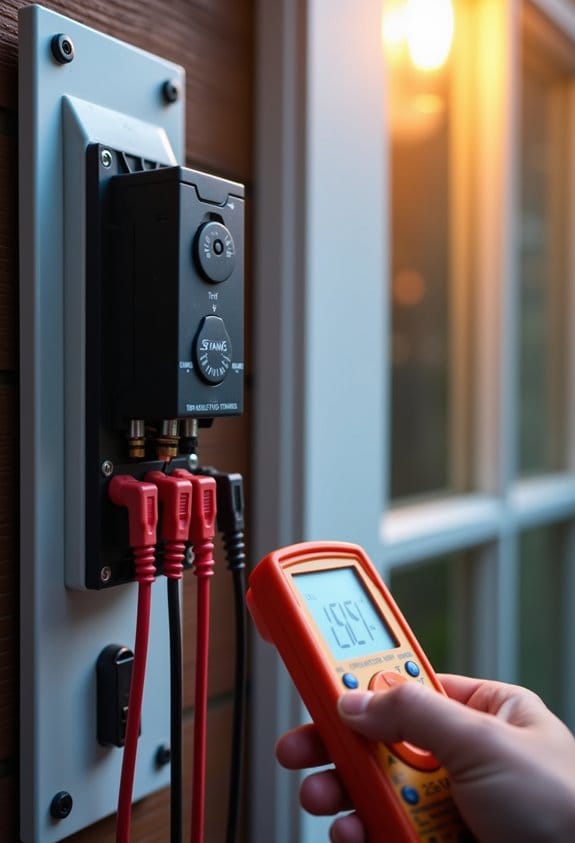
After checking for wiring and connection issues, the next step is to verify that the doorbell’s transformer is compatible. We need to guarantee it provides the proper voltage range of 16-24 volts. Insufficient voltage can lead to chime malfunctions. Using a multimeter, let’s measure the output voltage; readings outside the specified range may indicate a need for a replacement transformer. Additionally, we must check the make and model of the transformer against our doorbell system specifications, as some doorbells require specific transformers for maximum functionality. If our doorbell operates on a two-wire configuration, confirming compatibility with this setup is essential. Always refer to the user manual or manufacturer’s website for specific transformer recommendations. It is also important to ensure the transformer is UL certified to guarantee safe and reliable operation.
Setting the Correct Chime Type in the App
Setting the correct chime type in the Ring app is vital for guaranteeing that our doorbell systems function as intended. To do this, we first need to open the Ring app and navigate to the ‘In-home Chime Settings’ under our device settings. Here, we must select the appropriate chime type—either mechanical or digital. If we want a quick setup, we can use the ‘Automatic Chime Detection’ feature, which identifies the chime type and configures it accordingly. In case any adjustments are needed, we can explore the ‘Advanced Settings’ for manual fine-tuning. After any changes, it’s essential to test the doorbell to verify our selected chime type works properly, preventing potential frustrations down the line. Additionally, ensuring compatibility with your doorbell’s required transformer voltage can help maintain consistent chime functionality.
Essential Steps to Fix Your Chime Problems
When a chime stops working, it can be quite frustrating, especially when we’re expecting it to alert us to visitors. First, let’s verify the chime type settings in the Ring app to confirm we’ve got the correct model selected. Next, check inside the chime box for any loose or frayed wiring connections that could disrupt power flow. We should also inspect our transformer for compatibility and verify it provides between 16-24 volts for peak performance. Don’t forget to enable the ‘Ring my in-home Chime’ option in the Ring app settings. If these steps don’t work, performing a factory reset on the doorbell and reconfiguring settings might resolve any lingering issues. Additionally, ensuring proper weatherproof design and secure installation can prevent future disruptions caused by environmental factors.
When Should You Replace Your Chime or Doorbell?
How can we tell if it’s time to replace our chime or doorbell? First, we should observe any frequent malfunctions, as these often indicate a nearing end to their functional life. If our current doorbell lacks features like video monitoring or two-way audio, it might be wise to contemplate replacing it with a smart doorbell for improved security and convenience. We also need to examine sound quality; poor audio suggests that the chime’s hardware may require replacement. Additionally, if we experience compatibility issues with newer devices, an upgrade can resolve these concerns. Finally, persistent issues, such as faulty wiring or transformers, may make it more cost-effective to replace the entire system rather than attempting repairs. Considering the motion detection technology can also be crucial since advanced detection minimizes false alerts and enhances overall performance.
Engaging With Community Support for Additional Help
Engaging with community support can be a valuable step in resolving issues with our chimes. When the chime does not ring, we can visit forums dedicated to our specific brands or models. These platforms offer tailored support from fellow users who have faced similar problems. By sharing images of our installation setup and voltage readings, we can receive more accurate troubleshooting advice. It’s essential to provide detailed descriptions of any steps we’ve already taken to address the issue. Participation in discussions often reveals common issues and their solutions, saving us time and effort. Seeking assistance from the community can lead to effective resolutions while enhancing our understanding of chime systems. Additionally, understanding the weather resistance features of your devices can help identify if environmental factors are affecting chime performance.
Frequently Asked Questions
Why Is My Chime Not Working After Installing Ring?
If our chime isn’t working after installing Ring, we could be facing chime compatibility issues or wiring connection problems. Let’s check the device power supply and adjust the chime settings in the app for compatibility.
Why Is My Ring Doorbell Not Working With My Existing Chime?
When we install our Ring doorbell, we might face chime compatibility issues. Let’s follow the troubleshooting guide steps: check voltage requirements explained, double-check Ring doorbell settings, and explore chime repair solutions to resolve the issue.
Why Has My Chime Stopped Working?
If our chime’s stopped working, we should start with chime troubleshooting tips. Let’s check for common chime issues like chime wiring problems, power supply checks, and make sure the chime volume settings are properly adjusted.
Why Did My Doorbell Chime Stop Working?
It’s ironic, isn’t it? Our doorbell chime’s silent when we need it most. We can address common chime problems by checking power supply, troubleshooting doorbell wiring issues, and ensuring chime compatibility as we reinstall devices.


