


When we choose between cloud recording and local storage, we face important privacy and reliability tradeoffs. Cloud storage offers remote access and scalability, but it relies heavily on internet stability and poses potential data breach risks. In contrast, local storage allows us complete control over our data, ensuring operations during internet outages. However, it’s more vulnerable to physical threats and requires regular maintenance. Understanding these factors is essential for making the best storage decision for our needs. More insights await.
Key Takeaways
- Cloud recording offers seamless remote access but relies on internet stability, impacting data retrieval during outages.
- Local storage provides complete data control, reducing privacy risks associated with third-party providers.
- Data breaches and security risks are more prevalent with cloud storage, necessitating careful vetting of providers.
- Local storage is vulnerable to physical threats, while cloud services implement redundancy for data protection.
- Ongoing subscription fees for cloud storage can accumulate, whereas local storage involves a one-time investment but requires maintenance.
Understanding Cloud Storage for Your Business
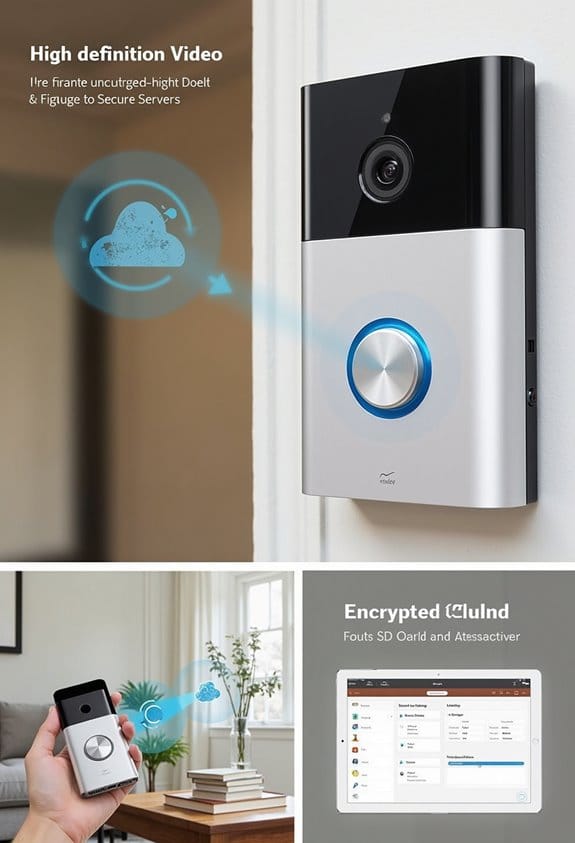
When we consider incorporating cloud storage into our business operations, it’s essential to grasp its core benefits and functionalities. Cloud storage allows us to access data remotely, promoting collaboration and operational efficiency across various locations. Unlike local storage, which can be limited by physical infrastructure, cloud solutions offer scalable options that adapt to our storage needs. However, we must address data security by thoroughly vetting third-party providers to comply with security standards. Additionally, cloud storage excels in disaster recovery, as it backs up data on secure off-site servers, reducing our vulnerability to local disasters. Ultimately, evaluating these storage solutions helps us decide the best fit for our business’s long-term goals and budget considerations. Many cloud services implement encryption methods like AES 128-bit and TLS 1.2 to protect stored videos from unauthorized access.
Evaluating Local Storage Options for Surveillance

Considering the needs of surveillance systems, evaluating local storage options becomes vital for organizations that prioritize data privacy and control over their video footage. By choosing systems like DVR, NVR, or NAS drives, we can maintain complete control over sensitive data storage, avoiding reliance on third parties. However, we need to implement robust security measures to protect our local storage against physical threats like theft or natural disasters. Regular monitoring of the hardware is important, as hardware failures can lead to data loss. While there’s a one-time investment in hardware, which can be more cost-effective than ongoing cloud subscriptions, we must remain vigilant in maintaining backups to guarantee continuous access to our critical video footage. Additionally, local storage solutions help avoid recurring subscription fees, offering a cost-effective advantage without sacrificing accessibility or security.
The Benefits of Cloud Storage in Surveillance
Cloud storage offers a range of benefits for surveillance systems that greatly enhance security and operational efficiency. It allows us to remotely access video footage from any device with internet access, making real-time monitoring possible. This flexibility is vital for effective security management. Additionally, cloud storage guarantees our surveillance data is protected through built-in redundancy and automated backups, safeguarding it from local disasters or hardware failures. Advanced encryption methods further improve data security, markedly reducing the risk of unauthorized access. Scalability is another key advantage; as our surveillance needs grow, we can easily expand storage capacity without hefty upfront costs. Many providers also offer user-friendly interfaces and valuable features like data analytics and alert systems, optimizing our surveillance security. Furthermore, premium cloud plans often provide extended video retention and professional monitoring options that significantly enhance security management.
What to Watch Out for With Cloud Storage?
While the benefits of cloud storage for surveillance systems are significant, we also need to be aware of potential drawbacks that can impact our security and budget. One major concern involves the cloud storage providers we choose, as their security measures in place may not meet our expectations. Data privacy risks increase due to potential unauthorized access or breaches, which necessitates thorough vetting of these providers. Additionally, accessibility relies on internet speed and stability, which can hinder our access to essential data during outages. We must also consider that subscription fees can add up over time, contrasting with the initial investment of local storage. Finally, there’s the possibility of vendor lock-in, complicating any future data migration or switching cost-effectively. It’s also important to note that cloud storage solutions vary, offering different levels of security and reliability depending on the provider.
Advantages of Storing Security Footage Locally
Storing security footage locally offers significant advantages that can enhance both security and management. Local storage offers complete control over our data, allowing us to manage access effectively without third-party involvement. With local systems, our footage remains on-site, minimizing risks linked to transferring sensitive data over the internet. Unlike cloud services, local storage requires a one-time investment in equipment rather than ongoing fees, making it more economical for predictable business needs. Additionally, in the event of a reliable internet outage, local storage continues operating without interruption, ensuring that our surveillance systems remain functional. Finally, keeping security footage within our premises reduces vulnerabilities to cyberattacks, safeguarding our sensitive information from external threats. Moreover, local storage eliminates dependency on cloud storage subscriptions, which can involve additional costs and data privacy concerns.
Drawbacks of Local Storage
Using local storage for security footage comes with notable drawbacks that can affect our overall security strategy. First, local storage systems are vulnerable to physical threats like theft, fire, and flood, risking permanent data loss without proper backups. Additionally, maintaining these systems requires regular upkeep, which can increase our labor costs and add complexity. With limited storage capacity, we may face frequent upgrades, leading to potential disruptions. Moreover, in the event of hardware failure, data recovery can be complex and unreliable, lacking the redundancy features that cloud solutions offer. Finally, if there’s no internet connection, remote access to vital footage is limited, making it challenging to retrieve important records when we need them most. In contrast, cloud storage offers 30-day trial options for easy access and extended video retention.
Cloud vs. Local Storage: Privacy and Security Considerations
When we compare cloud storage and local storage for security footage, privacy and security considerations emerge as essential factors. Cloud storage relies on third-party providers, which can lead to potential data breaches and unauthorized access. To safeguard against these risks, rigorous vetting of providers and robust data encryption is crucial. On the other hand, local storage offers complete control over security measures but requires ongoing investment in physical protection and maintenance. Vulnerability to physical theft and natural disasters remains a concern. Additionally, local storage limits access and necessitates internal management to meet privacy regulations. By weighing these trade-offs, we can better understand how to protect sensitive data effectively while maintaining compliance with security requirements. Many cloud services implement AES 128-bit encryption to enhance the security of recorded footage stored remotely.
Is Cloud Recording Reliable?
As we consider cloud recording, it is essential to understand its reliability in the context of internet dependency. The effectiveness of a cloud storage provider relies on stable internet connectivity, meaning that access to recorded data can be disrupted during outages. Many services employ redundancy measures, ensuring that data is replicated across multiple servers to guard against loss. However, security vulnerabilities pose a significant risk, as breaches can compromise stored footage. Major providers often guarantee uptime of 99% or higher, but downtime can still happen. Additionally, while subscription fees may seem manageable, they can add up over time, which is something to weigh against on-premises storage options that require a single, upfront investment. It is also important to review privacy policies carefully to understand how your data is managed and secured.
Comparing Costs of Cloud and Local Storage Options
Evaluating the costs of cloud versus local storage options reveals important factors for businesses and individuals alike. Cloud storage generally operates on a subscription model, where monthly fees can add up, particularly as storage capacity needs increase. This can lead to higher long-term expenses compared to local storage, which requires a significant initial investment but has no recurring charges once equipment is purchased. While local storage may incur costs for upgrades or maintenance, it can offer more predictable overall expenses. Providers offer various options, but for reliable data management without ongoing costs, local storage may lead to savings over time, despite the upfront costs. Understanding these financial aspects is essential for making the right choice for our storage needs. Additionally, installing reliable power supplies can enhance the performance and longevity of local storage systems.
Assessing Your Business Needs: Cloud, Local, or Hybrid Storage?
To guarantee we choose the right storage solution for our business, we need to take into account several factors that directly impact our operational effectiveness. First, we should evaluate our need for remote access. Cloud storage offers enhanced access via remote servers, ideal for distributed teams. However, local storage provides full control over data, essential for privacy and compliance. Next, let’s consider scalability; cloud solutions can grow easily with our needs, while local systems may require additional hardware investment. A hybrid model could be the best of both worlds, offering direct control over sensitive data while maintaining cloud benefits. Finally, we should analyze our budget and potential costs associated with these options to make an informed decision. Be sure to consider footage storage duration options, as retention periods can vary greatly and impact the usefulness of stored data.
Frequently Asked Questions
How Do I Choose Between Cloud and Local Storage?
When choosing storage, let’s think of a tree: cloud’s branches offer accessibility and easy data transfers, while local roots promise security and tangible benefits. Weigh costs and concerns, then pick what suits our needs best.
What Legal Regulations Affect Cloud Storage Usage?
We must consider data protection laws, compliance standards, and user privacy when using cloud storage. Cross-border regulations and encryption requirements also play vital roles in data retention, ensuring our stored information remains secure and compliant.
Can I Switch From Cloud to Local Storage Easily?
Yes, we can switch from cloud to local storage. However, we should consider cloud migration challenges, data transfer speeds, and backup strategies, while enjoying local storage benefits and evaluating cost implications for our user experience.
What Happens to My Data if the Cloud Provider Goes Out of Business?
If a cloud provider shuts down, our data risks being lost. While providers must guarantee service continuity, it’s our responsibility to evaluate backup solutions and alternative platforms, keeping recovery options in mind for user liability.
How Can I Enhance the Security of My Local Storage?
We can enhance our local storage security by using encryption methods, implementing access controls, establishing backup strategies, reinforcing physical safeguards, regularly performing software updates, and conducting ongoing threat assessments to stay ahead of potential vulnerabilities.


